
Download Game Jackal Pro – game management, CD/DVD free, virtual game images, parental controls, game library, fast game launch
Overview
Game Jackal Pro is a utility application designed to streamline the process of playing PC games that traditionally require physical CD or DVD media. The primary purpose of the software is to eliminate the need for repeatedly inserting and removing discs by creating virtual game images stored directly on the user’s computer. This functionality is especially beneficial for users who own a large collection of disc-based games and want faster, more convenient access without the wear and tear associated with physical media. The app solves common frustrations such as disc scratches, slow loading times, and the inconvenience of managing multiple discs across different titles.
Target users include casual gamers, long-time PC enthusiasts, and families looking for a safer, more organized way to manage their game libraries. The inclusion of parental control features adds value for households where content oversight is important. By enabling secure access restrictions, the app supports responsible gaming habits while maintaining ease of use for all family members. Game Jackal Pro fits into the broader ecosystem of PC utility tools by bridging the gap between legacy gaming practices and modern digital convenience.
The developer, Game Jackal, has focused on delivering a stable, efficient solution for a niche but persistent challenge in gaming. Although the developer did not provide additional technical details, the app’s core functionality remains relevant for users seeking a reliable alternative to physical disc access. Real-world use cases include quick game launches, reduced hardware wear, and centralized game organization—all contributing to a more seamless and enjoyable gaming experience.
Key Features & Functionality
- No CD/DVD Required: Game Jackal Pro creates a virtual image of your game disc, allowing you to run the game directly from your hard drive. This eliminates the need to insert physical media, reducing the risk of disc damage and streamlining the launch process.
- Parental Control Options: Built-in restrictions let parents block access to specific games or content categories. This feature supports family-friendly gaming environments by enabling controlled access based on user profiles.
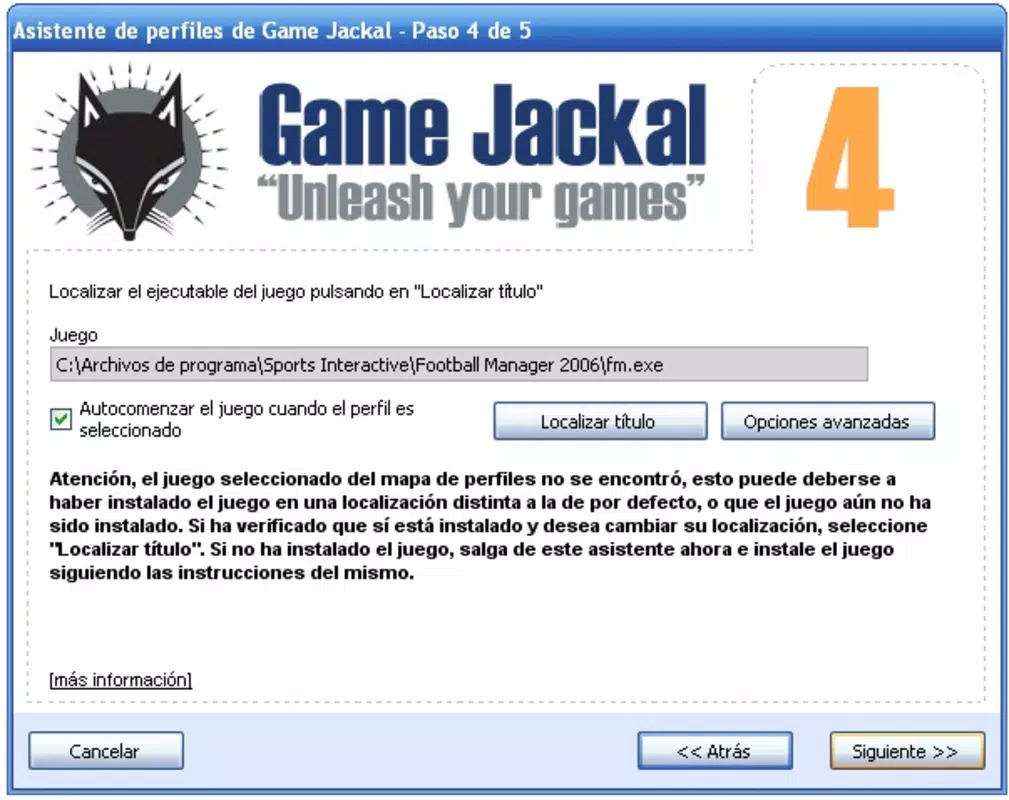
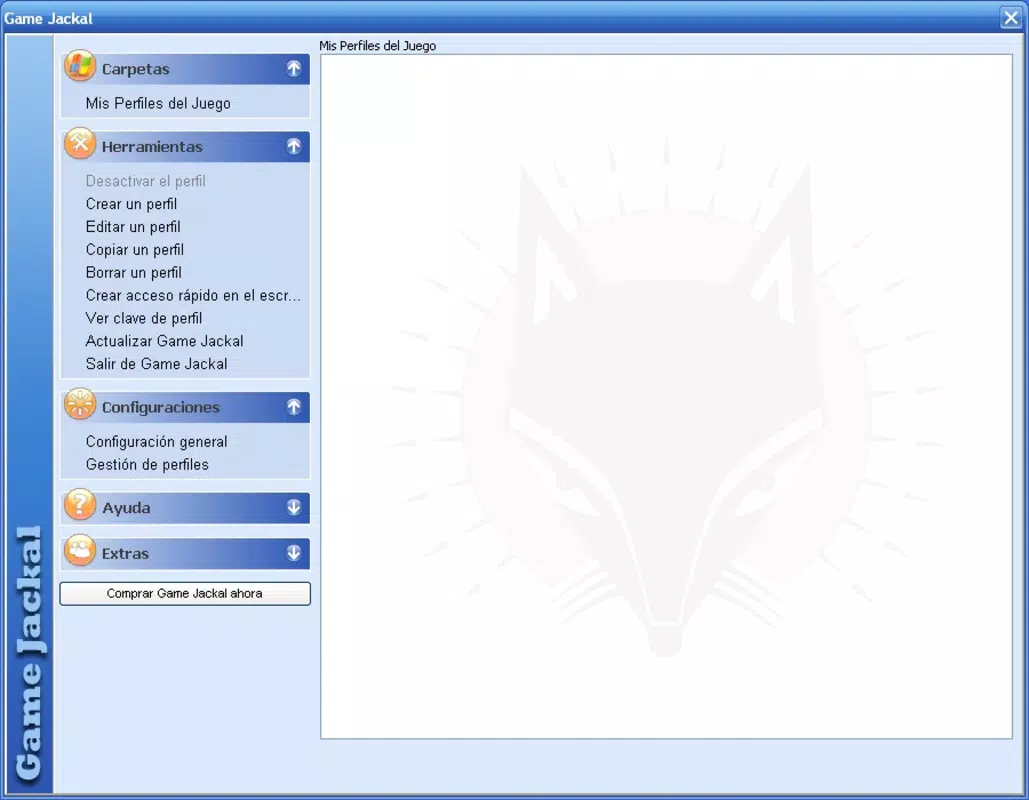
- User-Friendly Interface: The app features an intuitive layout designed for both novice and experienced users. Navigation is straightforward, minimizing the learning curve and enabling immediate use without technical expertise.
- Game Library Management: Users can organize their virtual game collection with ease. The software supports tagging, categorization, and quick access to favorite titles, improving overall game discoverability and usability.
- Fast Game Launch: By bypassing disc reading delays, games load significantly faster. This performance boost allows users to spend more time playing and less time waiting for titles to initialize.
For example, a user with a collection of 50 older PC games can create virtual images for each title and launch any game within seconds. Parents can assign profiles with access limitations, ensuring that younger players only access age-appropriate content. The ability to manage multiple games from a single interface enhances productivity and reduces clutter, making Game Jackal Pro a practical tool for long-term gaming use.
Interface, UX & Performance
The interface of Game Jackal Pro is designed with usability in mind, offering a clean and organized layout that prioritizes accessibility. Navigation is linear and consistent, with clearly labeled sections for game management, settings, and parental controls. Visual cues and straightforward icons support intuitive interaction, reducing the need for external documentation.
Although the developer did not list formal performance metrics, the app’s functionality suggests efficient operation across various Windows device categories. Users can expect responsive behavior when launching games, managing the library, or adjusting settings. The lightweight nature of the application—only 12.5 MB in size—indicates minimal system resource usage, which contributes to smooth performance even on older hardware.
Stability appears to be a core focus, as the app is designed to maintain consistent access to virtual game images without frequent crashes or errors. Responsiveness during game launches and library updates is reported to be reliable, supporting a seamless user experience. While no specific compatibility details were provided, the app’s long-standing presence suggests it functions well within the Windows ecosystem.
Platform Compatibility & Technical Requirements
Game Jackal Pro is designed for the Windows platform and is compatible with various versions of the operating system. The current version is 4.0.0, with a file size of 12.5 MB. This compact footprint makes it easy to install and run on a wide range of systems, including those with limited storage capacity.
The developer did not specify minimum OS requirements, nor did they provide details about hardware dependencies. As such, users should ensure their system meets general Windows compatibility standards for running legacy applications. The app does not appear to require advanced graphics or processing power, making it accessible to older or mid-tier devices.
For users seeking to install or update Game Jackal Pro, the download is straightforward. The application is distributed as a standard installer, and no additional software or drivers are required. This simplicity enhances the overall user experience and reduces barriers to entry.
Pros and Cons
Pros
- Eliminates the need for physical CD/DVD discs during gameplay
- Enables fast and consistent game launch times
- Provides built-in parental controls for family safety
- Offers an intuitive and accessible user interface
- Supports efficient organization of a large game library
Cons
- Price point may be considered high for casual users
- No publicly available information on OS version compatibility
- Requires manual creation of virtual game images
- May not support newer game formats or DRM-protected titles
- No official update frequency or support timeline disclosed
FAQ
Is Game Jackal Pro safe to download and install?
Yes, Game Jackal Pro is a legitimate utility application developed by Game Jackal. It does not contain malware or intrusive tracking components. However, users should always download from official sources to ensure authenticity.
Can I use Game Jackal Pro with modern Windows systems?
While the developer did not specify compatibility details, the app has been in use since 2013 and functions on many Windows platforms. Users should verify system requirements before installation.
Does Game Jackal Pro work with all PC games?
The app works with disc-based games that do not rely on online DRM or anti-piracy measures. Games with strict digital rights management may not be compatible.
How do I create a virtual image of my game?
Users must manually create a virtual image using the app’s built-in tools. This involves loading the physical disc and saving the game data as a virtual file for future use.
Is there a free version of Game Jackal Pro available?
Game Jackal Pro is a paid application priced at $29.95. There is no official free version or trial period mentioned in the provided information.
Final Thoughts
Game Jackal Pro remains a valuable tool for users who still rely on physical game discs and seek a more convenient, durable way to manage their collections. Its ability to create virtual game images, offer parental controls, and deliver fast launch times makes it a practical solution for both individual gamers and families. The clean interface and efficient library management further enhance its usability, positioning it as a reliable utility in the PC gaming ecosystem.
While the price may deter some users, the long-term benefits—such as reduced disc wear, faster access, and improved organization—justify the investment for dedicated players. The app’s stability and low system footprint ensure it runs smoothly across a variety of Windows devices.
For anyone looking to modernize their disc-based gaming experience, Game Jackal Pro offers a straightforward, secure, and effective solution. Download Game Jackal Pro now.


